
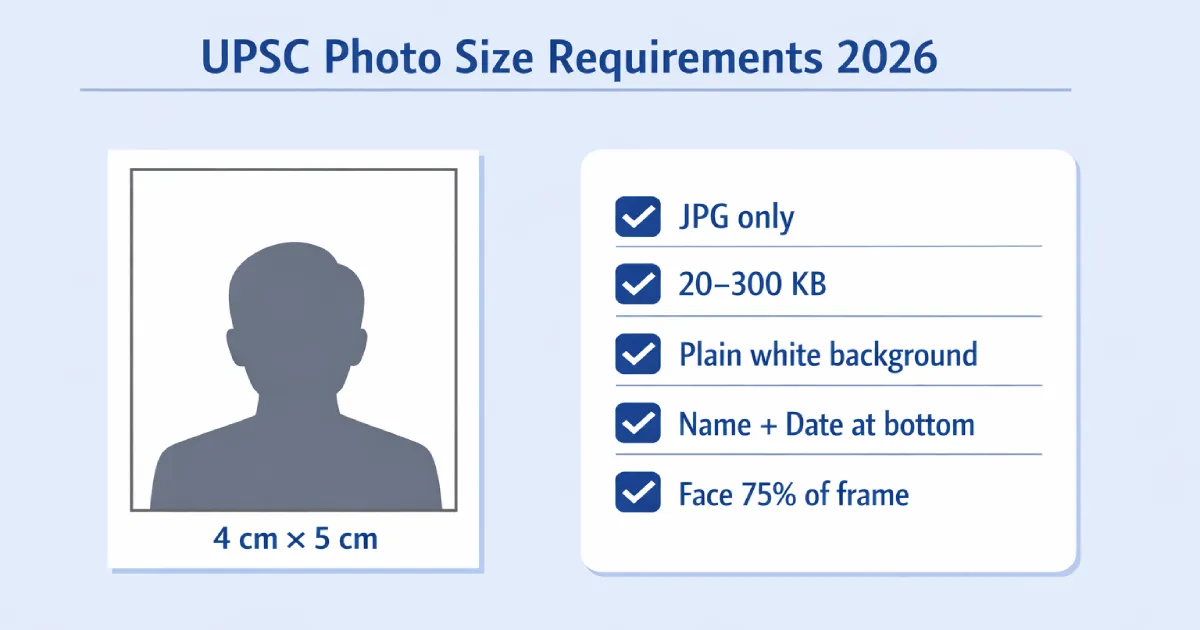
Uploading the wrong photo is one of the most common — and most avoidable — reasons UPSC Civil Services applications get rejected every year. The UPSC portal uses automated validation, which means if your photo does not meet the exact specifications, it gets blocked before any human even sees your form.
This guide covers every official requirement for UPSC CSE 2026 and IFoS 2026 — dimensions, file size, format, background colour, the name and date rule, the new live photo requirement, and signature upload specifications. Everything is based on the official UPSC notification.
⚠️ New for 2026: UPSC has introduced mandatory live photo capture during the application process. Your uploaded photo must match the live photo taken during form submission. Make sure your photo is taken within the last 10 days of starting your application.
UPSC Photo Size Requirements 2026 — Complete Specifications
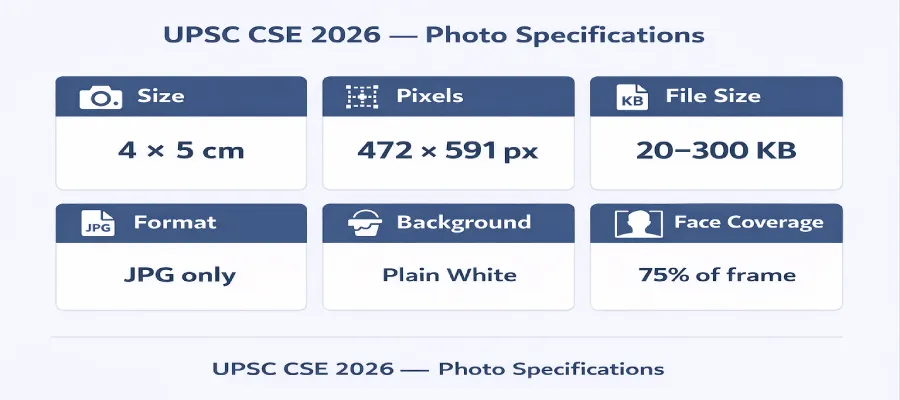
These are the exact requirements from the official UPSC CSE 2026 and IFoS 2026 notification. Every field below is verified automatically by the UPSC portal — one wrong value means your upload is blocked.
| Specification | Required Value | Status |
|---|---|---|
| Photo size (physical) | 4 cm × 5 cm | ⚠ Most candidates use wrong size |
| Dimensions (pixels) | 472 × 591 px at 300 DPI | Mandatory |
| File format | JPG / JPEG only | Mandatory |
| File size | 20 KB – 300 KB | Mandatory |
| Background | Plain white only — no grey, cream, or colour | Mandatory |
| Name & date on photo | Full name + date of photograph printed at bottom in black text | Mandatory — auto-rejected if missing |
| Face coverage | 75% of the frame — three-fourths of the photo | Mandatory |
| Glasses | Not allowed — remove completely | Auto-rejected |
| Photo age | Within 10 days of starting the application | Strongly recommended |
| Live photo capture | Mandatory — camera access required during form submission | New for 2026 |
ℹ️ UPSC vs SSC size: UPSC uses 4 cm × 5 cm. SSC, IBPS, and Railway all use 3.5 cm × 4.5 cm. These are different sizes. If you are applying to multiple exams, you need separate photos for each. Never use your SSC photo for UPSC — it will fail the dimension check.
What Does a Valid UPSC 2026 Photo Look Like?
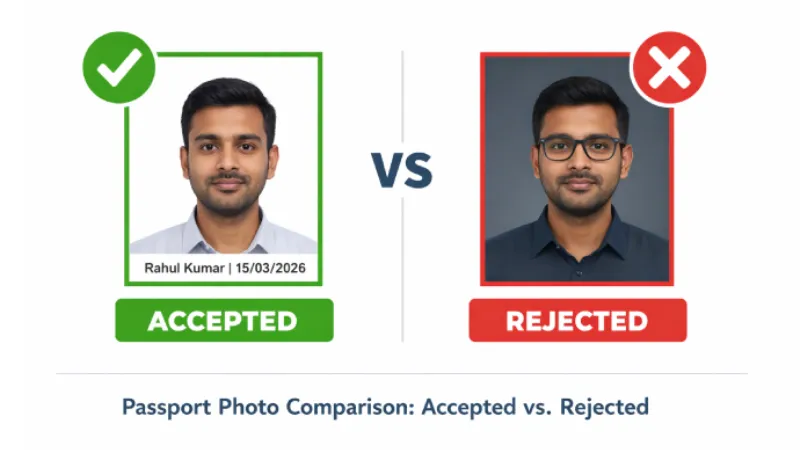
Most rejections happen not because of size errors, but because of wrong background, missing name and date text, or shadows. Here is the exact difference between an accepted and a rejected photo:
A valid UPSC CSE 2026 photo must have all of these:
- Plain white background — not cream, off-white, light grey, or any colour at all
- Full name printed at the bottom — same spelling as in your application form
- Date of photograph printed at the bottom — format DD/MM/YYYY in black text
- Face covering 75% of the frame — this is larger than a standard passport photo
- Both ears clearly visible — do not cover with hair
- No shadows on face or on the wall behind you
- No glasses or sunglasses — not permitted under any circumstances in 2026
- Neutral expression — mouth closed, no smile, no frown
- Colour photo only — black and white photos are rejected
The Name and Date Rule — The Most Missed Requirement
This is the requirement that trips up the most candidates — especially those who have applied for SSC or IBPS before, where no such rule exists.
UPSC requires your full name and the date the photo was taken to be printed directly on the photograph at the bottom, in black text on the white background strip below your face. Here is exactly what to include:
- Full name — use the exact same spelling as in your UPSC application form
- Date of photograph — the actual date the photo was taken, not the application date
- Font: black colour, small (8pt Arial or similar), on the white portion at the bottom
- The text must not overlap your face or cover any facial features
✅ Studio tip: Tell the photo studio: "I need a UPSC photo — 4×5 cm, plain white background, face covering three-fourths of the frame, with my full name and today's date printed at the bottom in small black text." Most studios in Delhi, Mumbai, Kolkata, and other metro cities know this requirement. If you are doing it yourself, our tool adds the name and date text automatically.
UPSC Photo vs Other Exam Photos — Key Differences
If you are appearing for multiple exams this year, use this table to avoid accidentally uploading the wrong photo size:
| Exam | Photo Size | File Size | Name + Date on Photo |
|---|---|---|---|
| UPSC CSE / IFoS | 4 × 5 cm | 20 – 300 KB | Yes — Mandatory |
| SSC CGL / CHSL | 3.5 × 4.5 cm | 20 – 50 KB | Not required |
| IBPS PO / Clerk | 3.5 × 4.5 cm | 20 – 50 KB | Not required |
| Railway RRB | 3.5 × 4.5 cm | 15 – 100 KB | Not required |
| NEET UG | 3.5 × 4.5 cm | 10 – 200 KB | Name only |
UPSC Signature Requirements 2026
Along with your photo, UPSC requires a specific signature image. The 2026 notification introduced a triple signature format — you must sign three times vertically on one plain white sheet and scan them all as a single image.
| Specification | Required Value |
|---|---|
| Number of signatures | 3 signatures — one below the other on a single sheet |
| Ink colour | Black ink pen only — no blue, no digital signature |
| File format | JPG only |
| Dimensions | 350 × 350 to 500 × 500 pixels |
| File size | 20 KB – 100 KB |
How to Create a UPSC Photo Online for Free
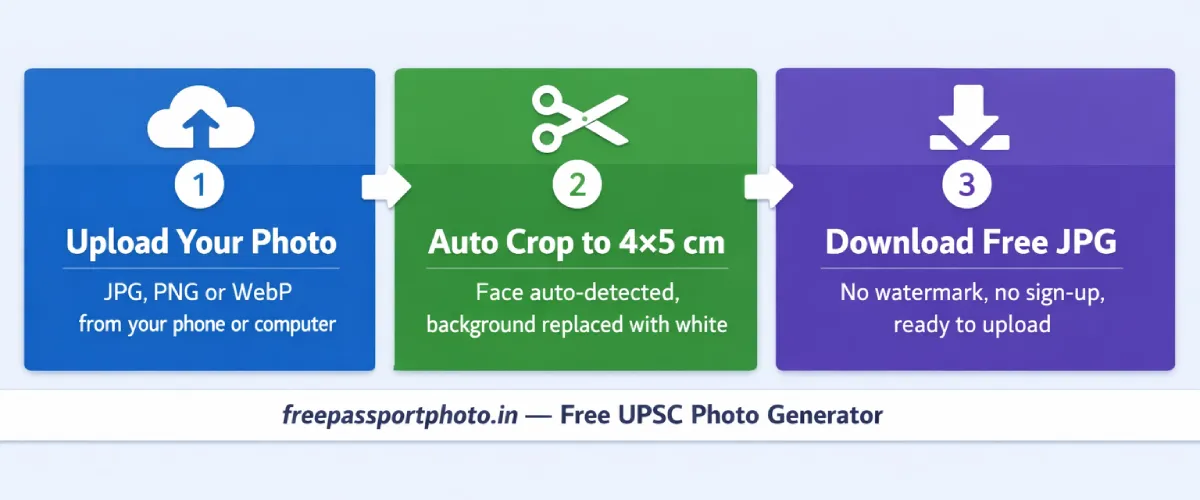
You can prepare a fully compliant UPSC photo at home in under 2 minutes using your phone — no studio visit needed.
- Take the photo correctly. Use your phone's rear camera (not the front selfie camera). Stand 2–3 feet from a plain white wall. Use natural daylight from a window directly in front of you — never behind you. Remove glasses. Both ears must be visible. Neutral expression. Take the photo at eye level.
- Upload to our free Exam Photo Generator. Go to our Government Exam Photo Generator, select UPSC as the exam type, and upload your photo. The tool automatically crops to 4×5 cm and adjusts face coverage to 75%.
- Add your name and date at the bottom. Enter your full name exactly as in your UPSC form, and the date the photo was taken. The tool adds it in the correct format — black text, 8pt, at the bottom of the white strip below your face.
- Download and verify file size. The tool automatically compresses to between 20 KB and 300 KB. Download as photo.jpg — the exact filename the UPSC portal expects. No watermark, no payment, no sign-up required.
Create Your UPSC Photo Free — Name & Date Included
Auto-resize to 4×5 cm · Compress to 20–300 KB · Add name & date. Ready in 60 seconds.
Common Reasons UPSC Photos Get Rejected
These are the exact reasons the UPSC portal auto-rejects photo uploads in 2026. Go through every one before submitting your application:
- Wrong photo size — using 3.5×4.5 cm (SSC/IBPS size) instead of UPSC's 4×5 cm
- Missing name and date text at the bottom — auto-rejected without review
- File size above 300 KB — the portal blocks files that exceed the limit
- PNG or WebP format — UPSC accepts JPG/JPEG only; all other formats are blocked
- Face covering less than 75% of frame — standard studio passport photos are often too small
- Non-white background — cream, off-white, and light grey all fail the check
- Shadows on face or background — even faint shadows cause rejection
- Photo more than 10 days old — causes a mismatch with the live photo capture
- Glasses worn — not permitted under any circumstances for UPSC 2026
- Live photo mismatch — your appearance during live capture must match the uploaded photo
Final Checklist Before You Submit
Go through every item before clicking Submit on your UPSC application:
- ☑ Photo is 4 cm × 5 cm — not 3.5×4.5 cm
- ☑ File is JPG format — not PNG, WebP, or PDF
- ☑ File size is between 20 KB and 300 KB
- ☑ Background is plain white — no shadows, no colour
- ☑ Face covers 75% of the frame — both ears visible
- ☑ Full name printed at the bottom of the photo
- ☑ Date of photograph printed at the bottom (DD/MM/YYYY)
- ☑ No glasses, no headwear, neutral expression
- ☑ Photo taken within the last 10 days
- ☑ Camera access enabled on your device for live photo capture
- ☑ Signature: 3 vertical signs, black ink, JPG, 20–100 KB, 350–500 px
Create your exam photo in under 60 seconds
Correct size · White background · Right file size · Free
Generate Exam Photo Free →You can also read our SSC CGL photo size guide if you are applying for both exams this year.