
Every year, thousands of SSC CGL candidates have their applications rejected — not because of their exam scores, but because of a photo upload error. A file that is 55 KB instead of 50 KB, glasses that were not removed, or a background that is cream instead of white — and your entire application is cancelled.
This guide gives you the exact SSC CGL 2026 photo specifications, the 7 most common rejection reasons with how to fix each one, and a step-by-step method to prepare your photo for free — no studio visit needed.
Zero tolerance for glasses in 2026: SSC's AI facial recognition now automatically flags any spectacle frames or lens reflections. Even if your eyes are clearly visible, glasses will trigger rejection. Remove them completely before taking or uploading your photo.
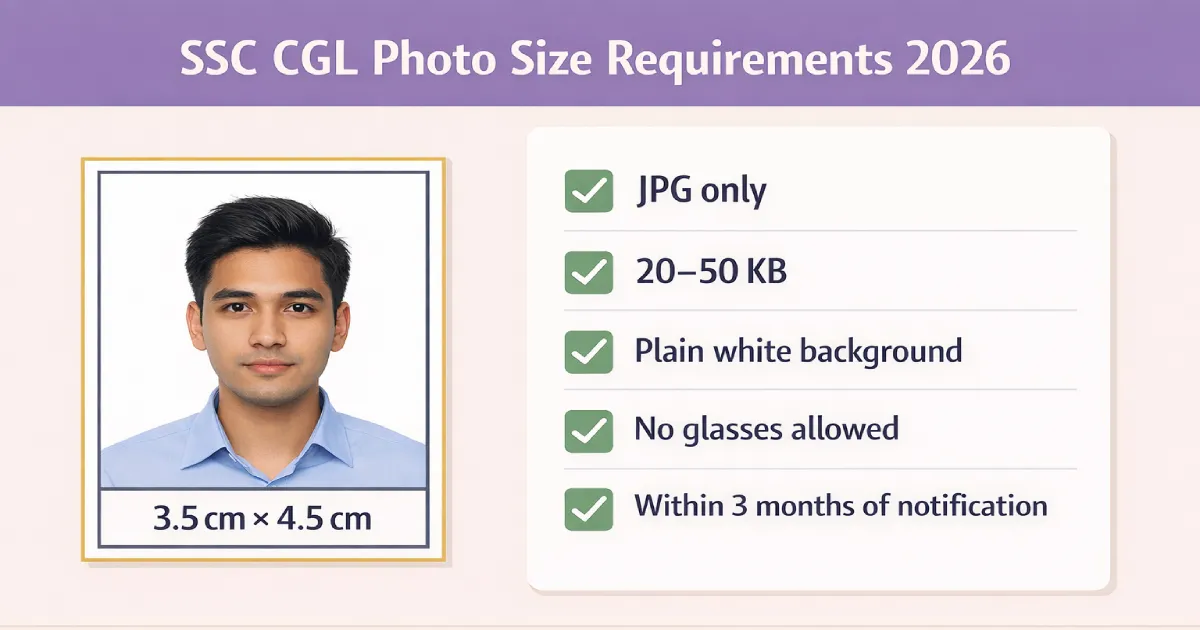
SSC CGL Photo Size Requirements 2026 — Complete Specifications
| Specification | Required Value | Status |
|---|---|---|
| Photo size (physical) | 3.5 cm × 4.5 cm | Mandatory |
| Dimensions (pixels) | 275 × 354 pixels | Mandatory |
| File format | JPG / JPEG only | Mandatory |
| File size | 20 KB – 50 KB | Strictly enforced — portal blocks outside this range |
| Background | Plain white only — no cream, grey, or any colour | Mandatory |
| Photo age | Within 3 months of the official notification date | Strictly enforced |
| Glasses / spectacles | Not allowed — zero tolerance in 2026 | Auto-rejected |
| Live photo capture | Mandatory — via webcam or mobile app during application | New — required 2026 |
| Colour photo | Colour only — black and white not accepted | Mandatory |
SSC vs UPSC size difference: SSC CGL uses 3.5 × 4.5 cm while UPSC uses 4 × 5 cm. If you are applying to both exams, you need two different photos. Never use your UPSC photo for SSC — it will be rejected for incorrect dimensions.
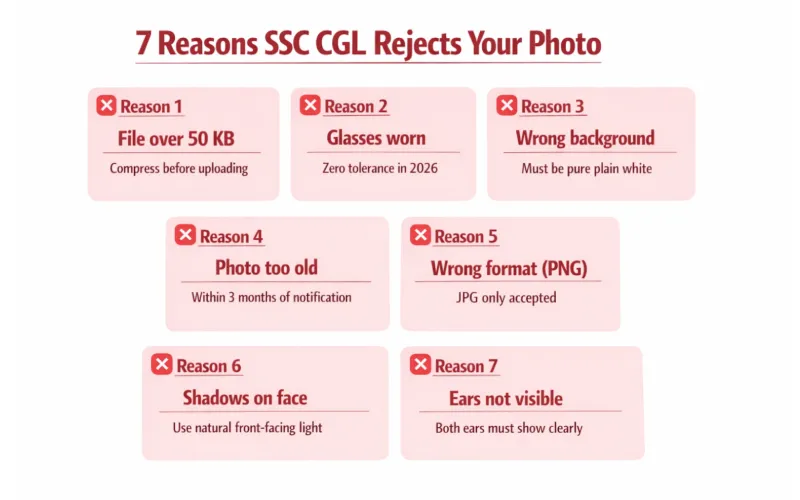
7 Reasons SSC CGL Rejects Your Photo (And How to Fix Each One)
| # | Rejection Reason | How to Fix It |
|---|---|---|
| 1 | File size over 50 KB | Use our free image compressor to reduce to exactly 20–50 KB without quality loss |
| 2 | Glasses or spectacles worn | Remove completely before taking the photo. Even anti-glare lenses are flagged by SSC's AI in 2026 |
| 3 | Wrong background colour | Must be pure plain white — cream, off-white, and grey all fail. Use our background remover to fix this |
| 4 | Photo older than 3 months | SSC counts from the notification release date, not from today. Always check the notification date first |
| 5 | Wrong file format (PNG, WebP, PDF) | Save as JPG only. Even renaming a PNG to .jpg is detected and rejected by the SSC system |
| 6 | Shadows on face or background | Stand 2–3 feet from a plain white wall in natural front-facing daylight. Avoid overhead fluorescent lighting |
| 7 | Ears not visible / face not centred | Both ears must be clearly visible. Pull hair back if needed. Face must be fully front-facing — no tilts |
What a Valid SSC CGL 2026 Photo Looks Like
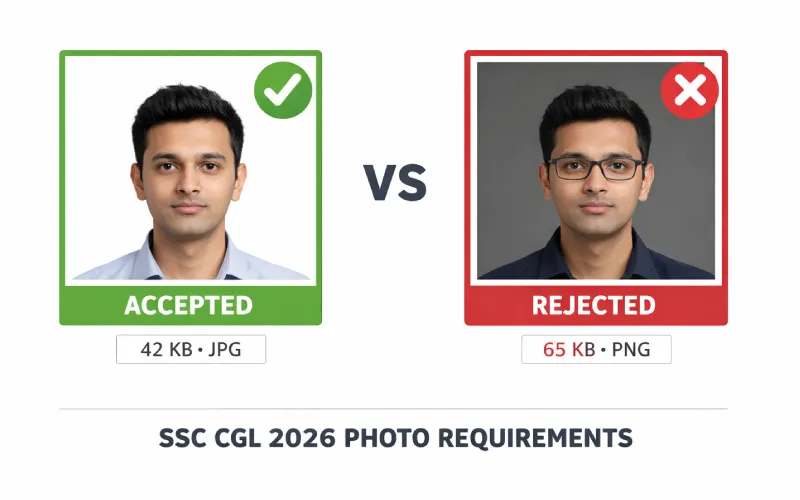
A valid SSC CGL 2026 photo must have all of these:
- Plain white background — taken against a white wall or with background removed
- Both ears clearly visible — pull hair back if it covers your ears
- No glasses — remove completely, including sunglasses and anti-glare lenses
- Neutral expression — mouth closed, no smile, no frown
- No shadows — on face or on the wall behind you
- Colour photo — black and white photos are not accepted
- Not older than 3 months from the SSC notification release date
- Between 20 KB and 50 KB in JPG format
- 275 × 354 pixels — exactly 3.5 × 4.5 cm
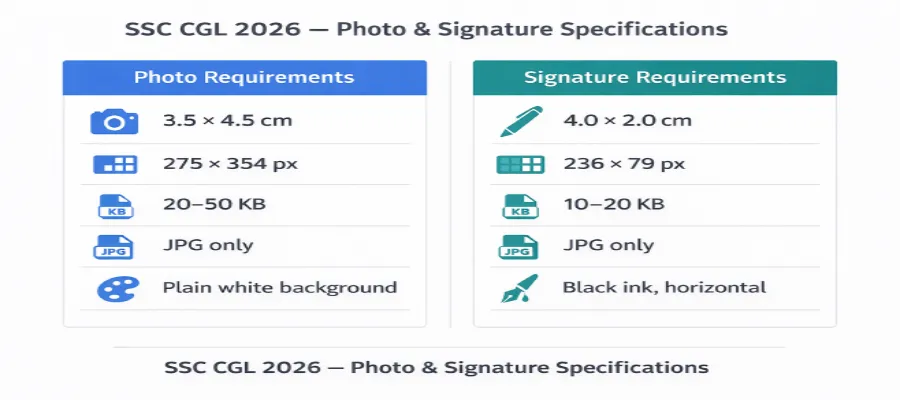
SSC CGL Signature Size Requirements 2026
Many candidates focus only on the photo and forget the signature — which has equally strict requirements. A rejected signature means a rejected application.
| Specification | Required Value |
|---|---|
| Physical size | 4.0 cm (width) × 2.0 cm (height) |
| Pixels | 236 × 79 pixels |
| File format | JPG only |
| File size | 10 KB – 20 KB — strictly enforced |
| Ink colour | Black ink pen only |
| Orientation | Horizontal only — vertical signatures are rejected |
| Style | Running hand (cursive) — capital letter signatures are rejected |
Signature tip: Use a thick marker pen — not a ballpoint — on plain white A4 paper. Sign large, then crop tightly around just the signature before compressing. A wide, dark signature compresses better than a thin, light one.
How to Create an SSC CGL Photo Online for Free
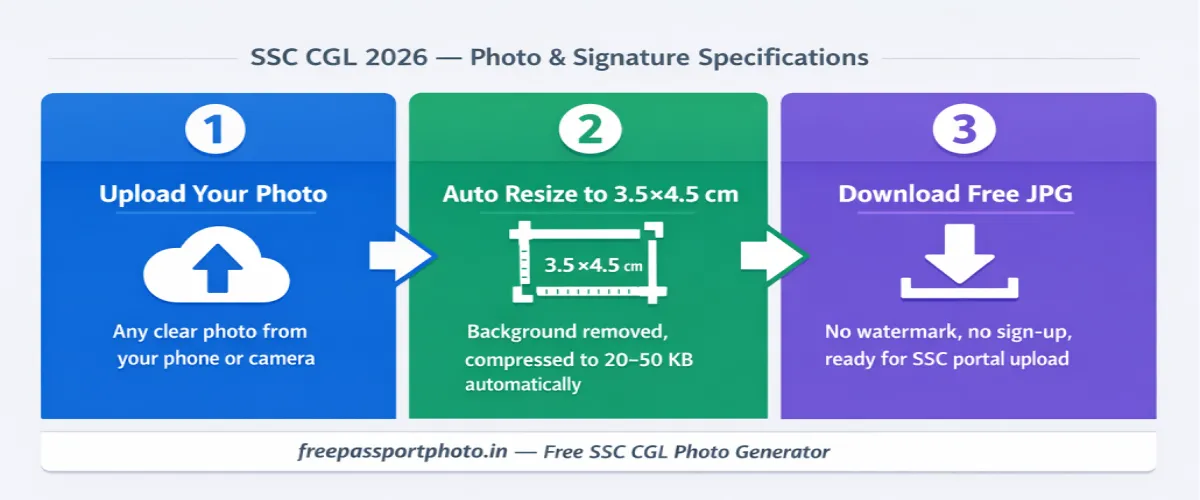
- Take the photo correctly first — Use your phone's rear camera. Stand 2–3 feet from a plain white wall. Use natural daylight from a window in front of you. Remove glasses. Neutral expression, both ears visible, face fully forward.
- Upload to the free SSC photo tool — Go to our Government Exam Photo Generator, select SSC CGL, and upload. The tool resizes to 275×354 pixels (3.5×4.5 cm) and removes the background automatically.
- Compress to 20–50 KB and download — The tool compresses within the 20–50 KB limit automatically. Download as JPG — ready to upload directly to the SSC portal. No watermark, no sign-up.
- Prepare your signature separately — Sign on plain white paper with a black marker. Take a photo, upload to our Image Compressor, crop tightly, and compress to 10–20 KB. Save as JPG.
Create Your SSC CGL Photo Free — 275×354 px, Under 50 KB
Auto-resize, background removal, compress to 20–50 KB. Ready to upload to SSC portal in 60 seconds.
Final Checklist Before You Submit Your SSC CGL Application
- ☑ Photo is 3.5 × 4.5 cm (275 × 354 pixels)
- ☑ File format is JPG — not PNG, WebP, or PDF
- ☑ File size is between 20 KB and 50 KB
- ☑ Background is plain white — no shadows, no colour
- ☑ Glasses removed completely
- ☑ Both ears clearly visible
- ☑ Neutral expression — mouth closed, face fully forward
- ☑ Photo is in colour — not black and white
- ☑ Photo was taken within 3 months of the SSC notification date
- ☑ Signature is 4×2 cm (236×79 px), 10–20 KB, JPG, horizontal, black ink
- ☑ Signature is in running hand — not capital letters
- ☑ Camera access enabled for live photo capture during application
Create your exam photo in under 60 seconds
Correct size · White background · Right file size · Free
Generate Exam Photo Free →You can also check the UPSC photo size guide if you are also applying for Civil Services this year.