
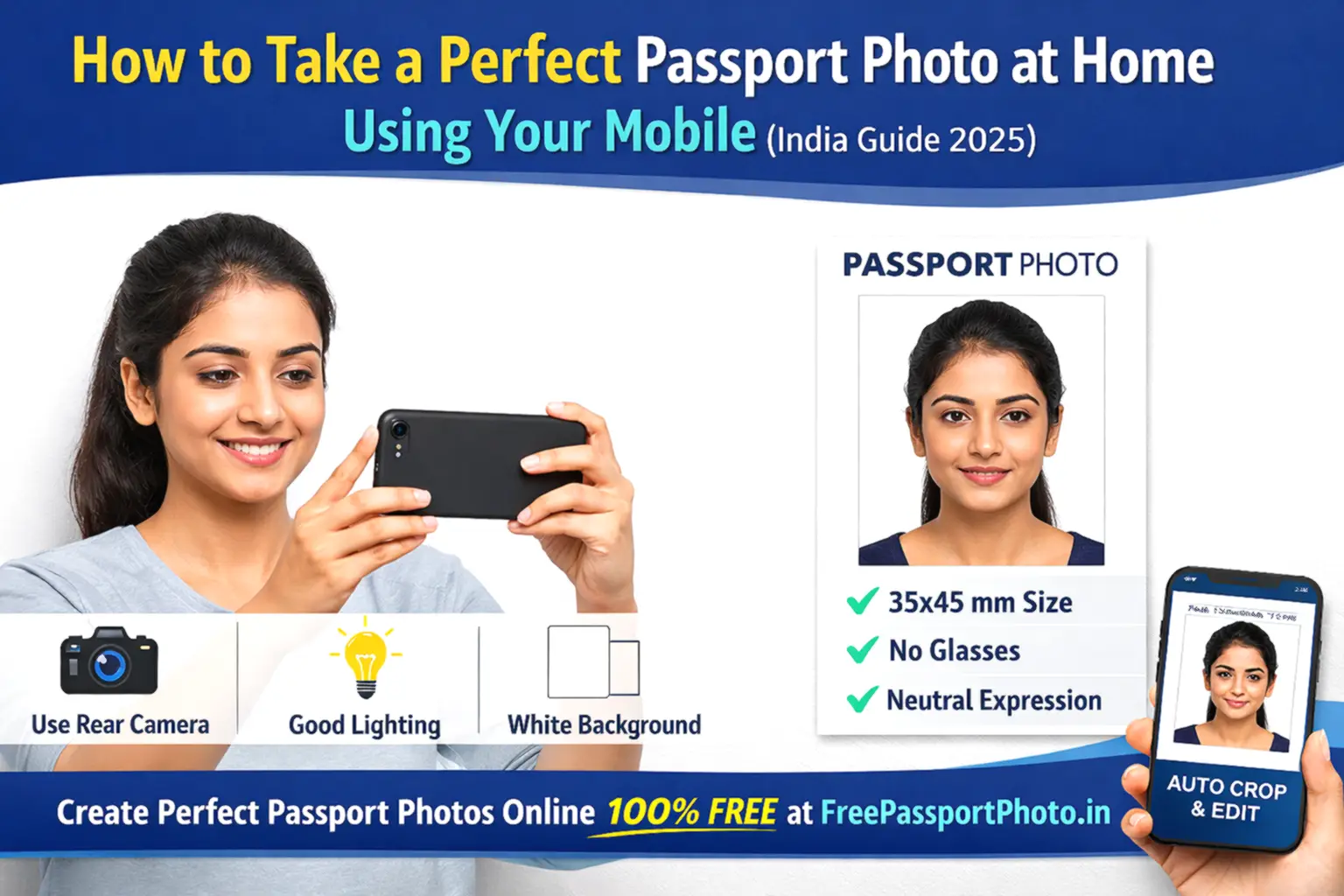
Going to a photo studio for a passport photo is no longer necessary. With your phone, a plain white wall, and the right technique, you can take a government-approved passport photo at home in under 5 minutes — and resize it correctly using our free online tool.
This guide covers everything: official photo requirements, step-by-step shooting instructions, the most common mistakes that cause rejection, and how to convert your photo to the exact Indian passport size for free.
ℹ️ Official confirmation: The Indian Passport Office and Passport Seva Kendra (PSK) accept photos taken at home as long as they meet all official specifications. A home photo that meets the rules is just as valid as one taken at a studio.
Indian Passport Photo Requirements 2026 — Official Specs
Before you pick up your phone, know exactly what the passport office expects. These are the official requirements from the Ministry of External Affairs and Passport Seva:
| Specification | Required Value |
|---|---|
| Photo size | 51 × 51 mm (2 × 2 inch) |
| Pixels (digital upload) | 600 × 600 pixels minimum |
| File format | JPEG / JPG |
| File size (digital) | 10 KB – 300 KB |
| Background | Plain white only — no off-white, cream, or grey |
| Face coverage | 70–80% of the frame |
| Expression | Neutral — mouth closed, no smile |
| Eyes | Open, looking directly at camera |
| Glasses | Not allowed — remove completely |
| Headwear | Not allowed except for religious reasons |
| Photo age | Taken within the last 6 months |
⚠️ Important size note: The Indian passport requires 51 × 51 mm (2 × 2 inch) — NOT the 35 × 45 mm size used by most other countries. Many Indian candidates submit the wrong size. Our tool automatically applies the correct Indian size when you select India.
What You Need Before Taking the Photo
You do not need any special equipment. Everything on this list is already in most Indian homes:
- Smartphone — rear camera only (never the front selfie camera — it distorts your face)
- Plain white wall or background — a white bedsheet hung on the wall also works
- Natural window light — sit near a window facing the light, not with light behind you
- Phone stand, tripod, or a stack of books — place the phone at eye level
- Another person to take the photo — selfies are officially not accepted
Step-by-Step: How to Take a Perfect Passport Photo at Home
Step 1 — Set Up Your Background
Stand facing a plain white wall. There must be no shadows, patterns, furniture, or objects visible behind you. If your wall has a slight colour, hang a large white bedsheet or white chart paper behind you.
Stand 1 to 1.5 metres away from the wall. This gap prevents your body shadow from falling on the background — one of the most common rejection reasons.
Step 2 — Set Up Proper Lighting
Lighting is the difference between a photo that gets accepted and one that gets rejected. Use natural daylight from a window in front of you — not behind you, not above you.
The light should hit your face evenly from both sides with no shadows on your cheeks, chin, forehead, or neck. Morning light through a large window is ideal.
Avoid all of these:
- Camera flash — creates harsh shadows and whitens the face unevenly
- Overhead tube lights — create downward shadows under eyes and nose
- Sunlight directly behind you — creates silhouette effect
- Single-sided light source — creates shadow on one half of face
Step 3 — Position the Camera Correctly
Place your phone on a stand or books at exactly eye level — not above, not below. The camera must be straight and level, pointing directly at your face. Distance: approximately 1 to 1.5 metres from your face.
Ask another person to hold the phone steady and take the photo. If you are alone, use your phone's timer and place it on a stable surface.
🚫 Never take a selfie for a passport photo. The front camera of your phone has a wide-angle lens that distorts your face — making your nose appear larger and your ears appear smaller. The passport office's biometric system can detect this distortion. Always use the rear camera.
Step 4 — Frame the Shot Correctly
Your face and both shoulders should be visible and centred in the frame. Your face should fill approximately 70–80% of the photo height — closer than a standard photo but not a close-up. Leave equal white space on both sides of your head.
Both ears must be clearly visible. If your hair covers your ears, pull it back before taking the photo.
Step 5 — Maintain the Correct Expression
Follow these rules exactly — the passport office checks facial expression:
- Neutral expression — no smile, no frown, no raised eyebrows
- Mouth fully closed
- Eyes fully open and looking directly at the camera
- Head straight — no tilt, no turn to either side
- No hair covering the forehead, eyes, or any part of the face
Step 6 — Wear the Right Clothing
What you wear matters because it must contrast with the white background:
- Best choice: Dark solid-coloured top — navy, black, dark grey, maroon, dark green
- Avoid white or light colours — they blend with the white background
- Avoid uniforms of any kind
- Remove glasses completely — even if you wear them every day, they are not permitted
- Remove caps, hats, and headbands — religious headwear is the only exception
Step 7 — Take Multiple Shots and Pick the Best
Take at least 8–10 photos. Review each one carefully and select the sharpest image where your face is evenly lit, centred, and the background is completely white with no shadows. Delete the rest.
How to Convert Your Phone Photo to Indian Passport Size — Free
Taking the photo is only half the job. You also need to resize it to exactly 51×51 mm, set it at 300 DPI, compress it under 300 KB, and ensure the background is pure white. Doing this manually requires Photoshop skills most people don't have.
Our free tool does all of this automatically in one step:
- Go to our Free Passport Photo Generator on your phone or computer.
- Upload the photo you just took. Select India as the country.
- The tool auto-crops to 51×51 mm, sets white background, adjusts resolution, and compresses the file to the correct size.
- Download your passport-ready photo instantly. No watermark. No sign-up. Completely free.
Create Your Indian Passport Photo Free
Auto-resize to 51×51 mm · White background · 10–300 KB · Ready in 60 seconds
Common Mistakes That Get Passport Photos Rejected
These are the exact reasons the Indian Passport Office and PSK reject home passport photos most often. Avoid every single one:
| Mistake | How to Fix It |
|---|---|
| Shadow on face or background | Stand 1–1.5 m from the wall. Use window light from front. No overhead lights. |
| Wrong photo size (35×45 instead of 51×51) | Use our tool and select India — it applies 51×51 mm automatically. |
| Glasses worn | Remove completely before taking the photo. No exceptions for Indian passport. |
| Taken as a selfie | Use rear camera only. Ask someone to take it or use a phone stand + timer. |
| Background not white enough | Use our tool's background remover — it replaces any background with pure white. |
| Photo more than 6 months old | Always take a fresh photo. Old photos are rejected at the PSK counter. |
| Blurry or low resolution | Use a phone stand. Hold the phone steady. Use the rear camera in good lighting. |
| Filtered or edited photo | Never use beauty mode, portrait mode, or Instagram filters. Use the plain camera. |
Frequently Asked Questions
Can I take an Indian passport photo at home with my phone?
Yes. The Indian Passport Office accepts home photos as long as they meet official specifications — correct size (51×51 mm), plain white background, neutral expression, no glasses, and taken within 6 months. Use your phone's rear camera, not the front selfie camera.
What is the correct Indian passport photo size?
Indian passport photos must be 51 mm × 51 mm (2 × 2 inch). For digital Passport Seva uploads, the minimum is 600 × 600 pixels in JPEG format, between 10 KB and 300 KB. This is different from most other countries which use 35 × 45 mm.
Can I take a passport photo selfie with my phone?
No. Selfies taken with the front camera are not acceptable. The front camera uses a wide-angle lens that distorts your facial features. Always use the rear camera with someone else holding the phone, or use a tripod and the phone's self-timer.
Can I smile in an Indian passport photo?
No. A neutral expression with mouth fully closed is required. Even a slight smile can trigger rejection by the PSK's automated verification system. Your expression should look as if you are relaxed and looking straight ahead — not smiling, not frowning.
What background do I need for an Indian passport photo?
The background must be plain white only. Off-white, cream, light grey, and beige are all rejected. If your wall is not perfectly white, use our tool's automatic background remover to replace it with the correct pure white background.
How recent does an Indian passport photo need to be?
Your photo must have been taken within the last 6 months from the date of application. The PSK counter officer checks this visually — if you look noticeably different from your photo (different haircut, different glasses situation, visible aging), the photo may be questioned or rejected.
Final Checklist Before Submitting Your Passport Photo
Run through this list before you upload or print your photo:
- ☑ Photo size: 51 × 51 mm (2 × 2 inch) for Indian passport
- ☑ File format: JPEG / JPG
- ☑ File size: between 10 KB and 300 KB for digital submission
- ☑ Background: pure plain white — no shadows, no colour
- ☑ Face covers 70–80% of the photo frame
- ☑ Both ears visible, head straight and centred
- ☑ Neutral expression — mouth closed, no smile
- ☑ Eyes open, looking directly at camera
- ☑ No glasses, no cap, no headwear (unless religious)
- ☑ Taken with rear camera — not a selfie
- ☑ Photo taken within the last 6 months
- ☑ No filters, beauty mode, or editing applied
Need a passport-size photo right now?
100% free · No sign-up · Instant download · Works on mobile
Create My Photo Free →