
Free Online Photo Tools for Passport, Aadhaar, PAN & Government Exam Forms in India (2026)
Every year, thousands of Indians get their SSC, UPSC, passport, or bank exam applications rejected — not because of wrong eligibility, but because of incorrect photo size, file too large, or wrong background colour.
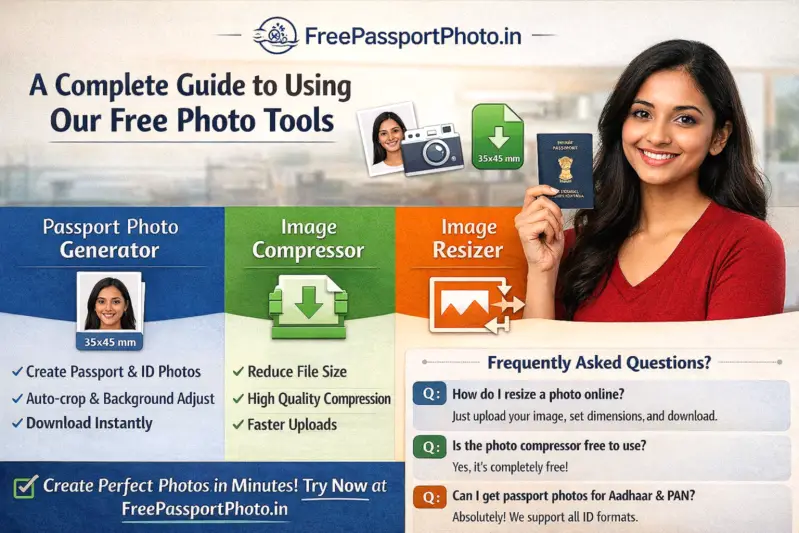
These are entirely avoidable mistakes. FreePassportPhoto.in offers three free browser-based tools that fix all of them in under two minutes — no app download, no account, no watermark.
-
Passport Photo Generator — correct size, background and DPI automatically
-
Image Compressor — reduce photo to 20KB, 50KB or any KB target
-
Image Resizer — resize to exact pixel dimensions without distortion
1. Passport Photo Generator – Create Compliant Photos for Any Document
The Passport Photo Generator creates government-approved passport and ID photos automatically. Upload any phone photo and the tool handles cropping, background removal, sizing and DPI — no editing skills required.
Supported Documents and Sizes
-
Indian Passport — 35×45 mm (413×531 px at 300 DPI), white background
-
US Passport / Visa — 2×2 inch (600×600 px at 300 DPI), white background
-
Aadhaar Card — 35×45 mm, white background
-
PAN Card — 35×45 mm, white or light background
-
UPSC, SSC, IBPS, Railway exams — standard 3.5×4.5 cm format
-
UK, Canada, Australia, Schengen — 50+ countries supported
How to Use
-
Open the Passport Photo Generator
-
Upload a clear, well-lit photo from your phone or camera
-
Select your document type and country
-
The tool auto-adjusts size, background and resolution
-
Preview and download your compliant photo instantly
Pro tip: Stand against a plain white wall in natural daylight. Keep your face centred and expression neutral. The tool corrects most background issues but works best when lighting is even with no shadows behind the head.
2. Image Compressor – Reduce Photo Size to 20KB, 50KB or 100KB for Government Forms
A typical smartphone photo is 2–5 MB. Most Indian government portals reject anything above 50KB or 100KB. The Image Compressor shrinks your photo to the exact KB size required — without visible quality loss.
Exact Size Requirements by Exam and Portal
| Exam / Portal | Photo Size Limit | Signature Size Limit |
|---|---|---|
| SSC CGL / CHSL / MTS | 50KB (JPG) | 20KB (JPG) |
| UPSC Civil Services | 300KB (JPG) | 300KB (JPG) |
| IBPS PO / Clerk / RRB | 50KB (JPG) | 20KB (JPG) |
| Indian Railways (RRB) | 50KB (JPG) | 20KB (JPG) |
| NEET UG | 200KB (JPG) | 100KB (JPG) |
| Passport Seva Portal | 500KB (JPEG) | — |
| PAN Card (UTIITSL / NSDL) | 50KB (JPG) | 50KB (JPG) |
Always check the official portal notification before uploading — size limits occasionally change between exam cycles.
How to Compress a Photo for Government Forms
-
Open the Image Compressor
-
Upload your photo — JPG, PNG or WebP up to 10MB
-
Set quality level or enter a target file size in KB
-
Download the compressed photo instantly
Pro tip for SSC / IBPS forms: Set quality to 60–70% and resize width to 200px before compressing. A 3MB phone photo compressed this way typically comes out under 30KB — well within the 50KB SSC limit — while remaining sharp enough for biometric verification.
3. Image Resizer – Resize to Exact Pixel Dimensions for Any Portal
Many portals reject uploads that are not exactly the right pixel size — even if the file is the correct KB size. The Image Resizer lets you enter exact width and height in pixels and get the output instantly, with aspect ratio lock to prevent face distortion.
Common Pixel Sizes Required by Indian Portals
| Document / Exam | Photo Dimensions | Format |
|---|---|---|
| Indian Passport (Seva Portal) | 413×531 px | JPEG |
| US Passport | 600×600 px | JPEG |
| SSC CGL / CHSL | 200×230 px | JPEG |
| UPSC Civil Services | 350×350 px | JPEG |
| IBPS PO / Clerk | 200×230 px | JPEG |
| NEET UG | 480×640 px | JPEG |
| Aadhaar / PAN | 200×200 px | JPEG |
How to Use the Image Resizer
-
Open the Image Resizer
-
Upload your photo
-
Enter the required width and height in pixels
-
Lock aspect ratio if needed
-
Download the resized image in JPG, PNG or WebP
Which Tool Do You Need? (Quick Decision Guide)
-
Photo composition wrong — wrong background, bad framing, no 300 DPI?
→ Use the Passport Photo Generator -
Photo looks correct but file is 2MB or 5MB and portal needs 50KB?
→ Use the Image Compressor -
Portal is rejecting upload due to wrong pixel dimensions?
→ Use the Image Resizer -
Both wrong size in KB and wrong pixel dimensions?
→ Resize first to correct pixels, then compress to target KB
Top Reasons Photo Uploads Get Rejected on Indian Government Portals
-
File too large — most common. A 2MB phone photo will fail on SSC, IBPS and railway portals. Always compress before submitting.
-
Wrong pixel dimensions — portals check this server-side. Even 1px difference can trigger an error on some systems.
-
Wrong format — most Indian portals require JPEG/JPG. PNG and WebP are often rejected even if visually identical.
-
Coloured or patterned background — passport and exam photos must have a plain white or off-white background.
-
Glasses, smile or tilted head — not allowed on passport, Aadhaar, PAN or most exam photos since 2020.
-
Photo older than 6 months — passports and several exam portals require a recent photo. Retake if your photo is old.
Frequently Asked Questions
What is the correct photo size for Indian passport in 2026?
35×45 mm (413×531 pixels at 300 DPI). White background, neutral expression, face covering 70–80% of the frame, no glasses. Use the Passport Photo Generator to get this automatically.
How do I compress a photo to under 50KB for SSC CGL?
Open the Image Compressor, upload your photo, set quality to 60–70% and resize width to 200px, select JPG output. This typically produces a file well under 50KB. SSC also requires the photo to be 200×230 pixels — use the Image Resizer first if your dimensions are wrong.
What photo size does UPSC require?
For UPSC Civil Services 2026, the photo should be 350×350 pixels, in JPG format, under 300KB. The face must cover 3/4th of the photo area with both ears visible and a neutral expression on a plain white background.
Can I use these tools on my phone?
Yes. All three tools work on any Android or iPhone browser. No app download required. They are optimised for mobile use.
Are my photos stored on the server?
No. All processing happens within your browser session. Photos are automatically deleted after the session ends and are never stored permanently on any server.
Do these tools add a watermark?
No. All downloads are clean, watermark-free images ready for official submission.
Final Thoughts
Photo rejection wastes time and sometimes costs money — especially for Tatkal passport applications or exam form resubmissions. Using the right tool in the right order takes less than two minutes and eliminates the most common upload errors completely.
Check the official portal requirements for your specific exam or document, then use the tools above to match them exactly before submitting.
Need a passport-size photo right now?
100% free · No sign-up · Instant download · Works on mobile
Create My Photo Free →